Ad Space — Leaderboard (728x90)
Client-side only
Markdown Editor & Preview Online
Write Markdown with live preview. Export to HTML. Supports GitHub Flavored Markdown.
72 words
Failed to parse markdown
Supports GitHub Flavored Markdown (GFM): tables, task lists, strikethrough, autolinks, code blocks. Rendered with the marked library.
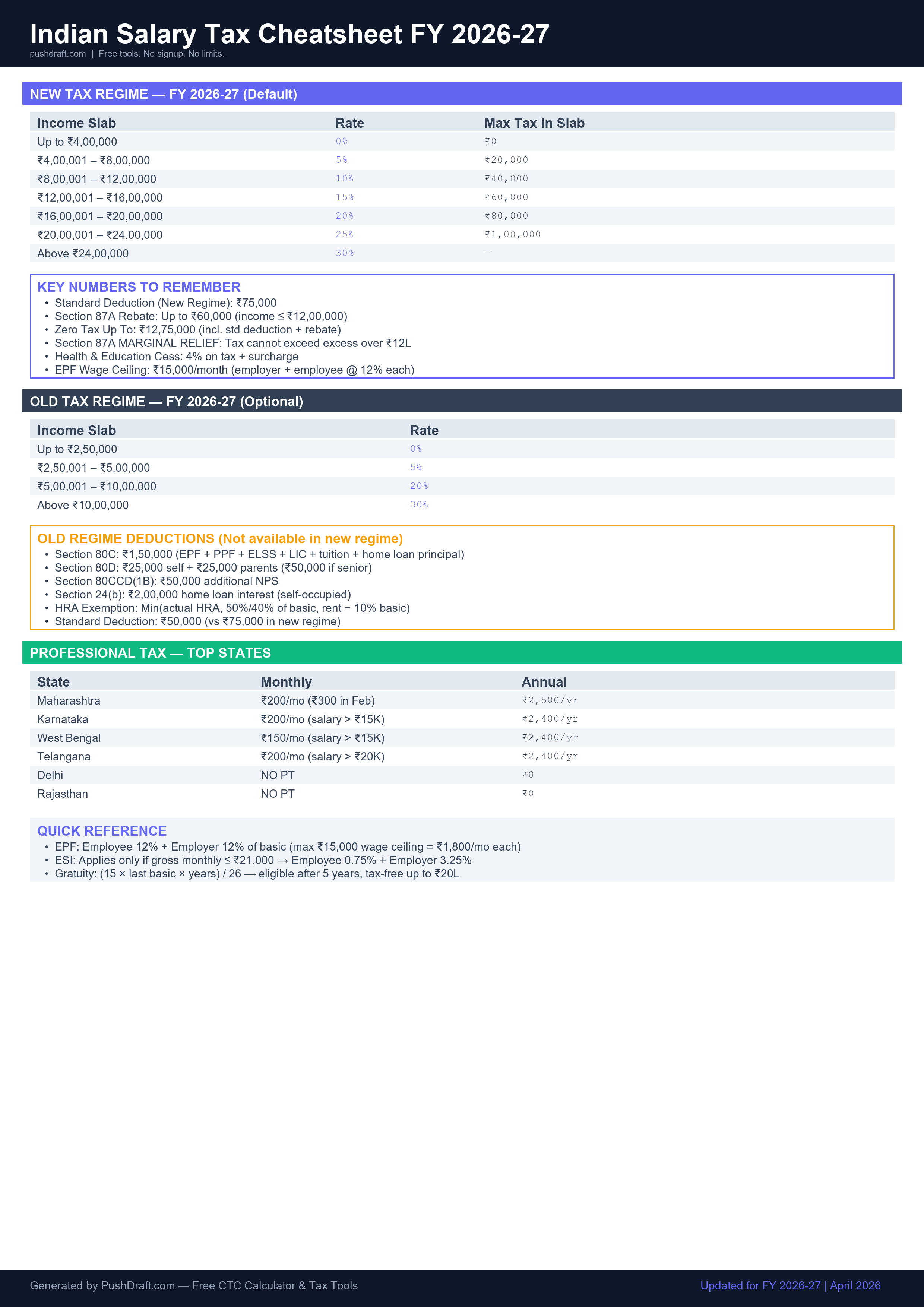
Free: Indian Salary Tax Cheatsheet 2026-27
New regime slabs, old regime deductions, PT by state — one page, print-ready.
How to Use Markdown Preview
-
Write Markdown
Type or paste Markdown in the editor on the left.
-
See live preview
Rendered HTML appears on the right in real time.
-
Copy or download
Copy HTML output or download as a file.
Ad Space — In-content (336x280)
Related Tools
Ad Space — Bottom (728x90)
PushDraft Weekly
Get weekly developer tips and new tools. Free, no spam, unsubscribe anytime.