Number Base Converter — Decimal, Binary, Octal, Hex
Convert numbers between decimal, binary, octal, and hexadecimal instantly. Supports 8/16/32/64-bit representations.
Range: 0 to 255
Digits 0–9, optional minus sign
Digits 0–1
Digits 0–7
Digits 0–9, A–F
Each color group = 4 bits = 1 hex digit
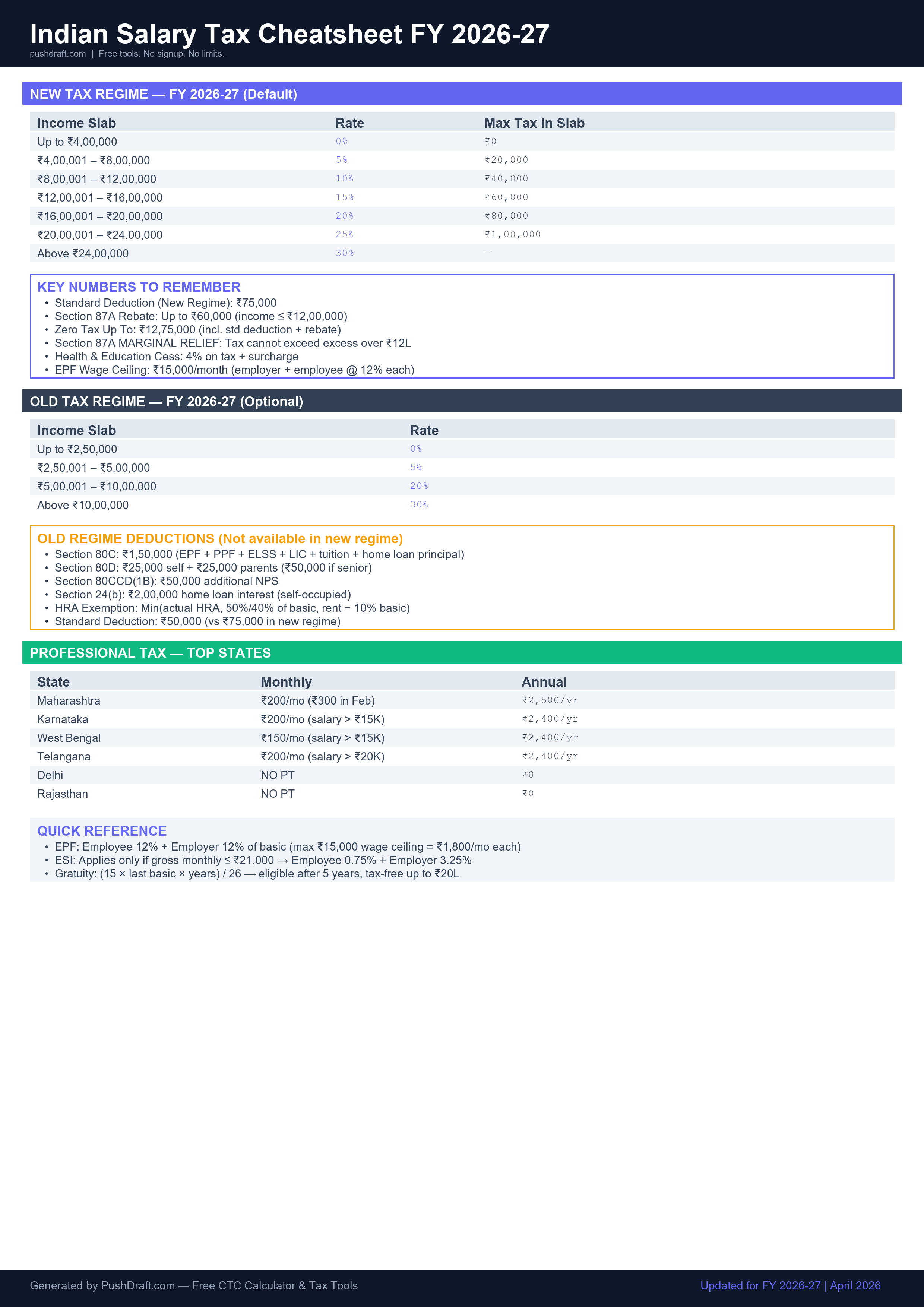
Free: Indian Salary Tax Cheatsheet 2026-27
New regime slabs, old regime deductions, PT by state — one page, print-ready.
How to Use Number Base Converter
-
Enter a number in any base
Type in any of the four fields — decimal, binary, octal, or hex. All other fields update instantly.
-
Select bit width
Choose 8, 16, 32, or 64-bit to see the number with leading zeros in binary.
-
Use quick-insert
Click any common number (255, 65535, etc.) to load it and see all representations at once.
Related Tools
Frequently Asked Questions
How do I convert binary to decimal?
Each binary digit (bit) represents a power of 2. The rightmost bit = 2⁰ = 1, next = 2¹ = 2, and so on. Sum the values of all positions that have a 1. For example, binary 1010 = 8+0+2+0 = 10 in decimal.
What is hexadecimal used for?
Hexadecimal (base 16) is used extensively in computing: memory addresses, color codes (CSS uses #RRGGBB), Unicode code points, and bytewise data representation. Each hex digit represents exactly 4 binary bits, making it a compact way to represent binary data.
What is the difference between signed and unsigned integers?
An unsigned 8-bit integer stores values 0–255. A signed 8-bit integer uses the most significant bit as a sign bit, storing values -128 to +127 (two's complement). Most programming languages default to signed integers.
PushDraft Weekly
Get weekly developer tips and new tools. Free, no spam, unsubscribe anytime.