JSON to CSV Converter — Free Online Tool
Convert JSON arrays to CSV instantly. Supports nested objects (flattened with dot notation), custom delimiters, and direct CSV download.
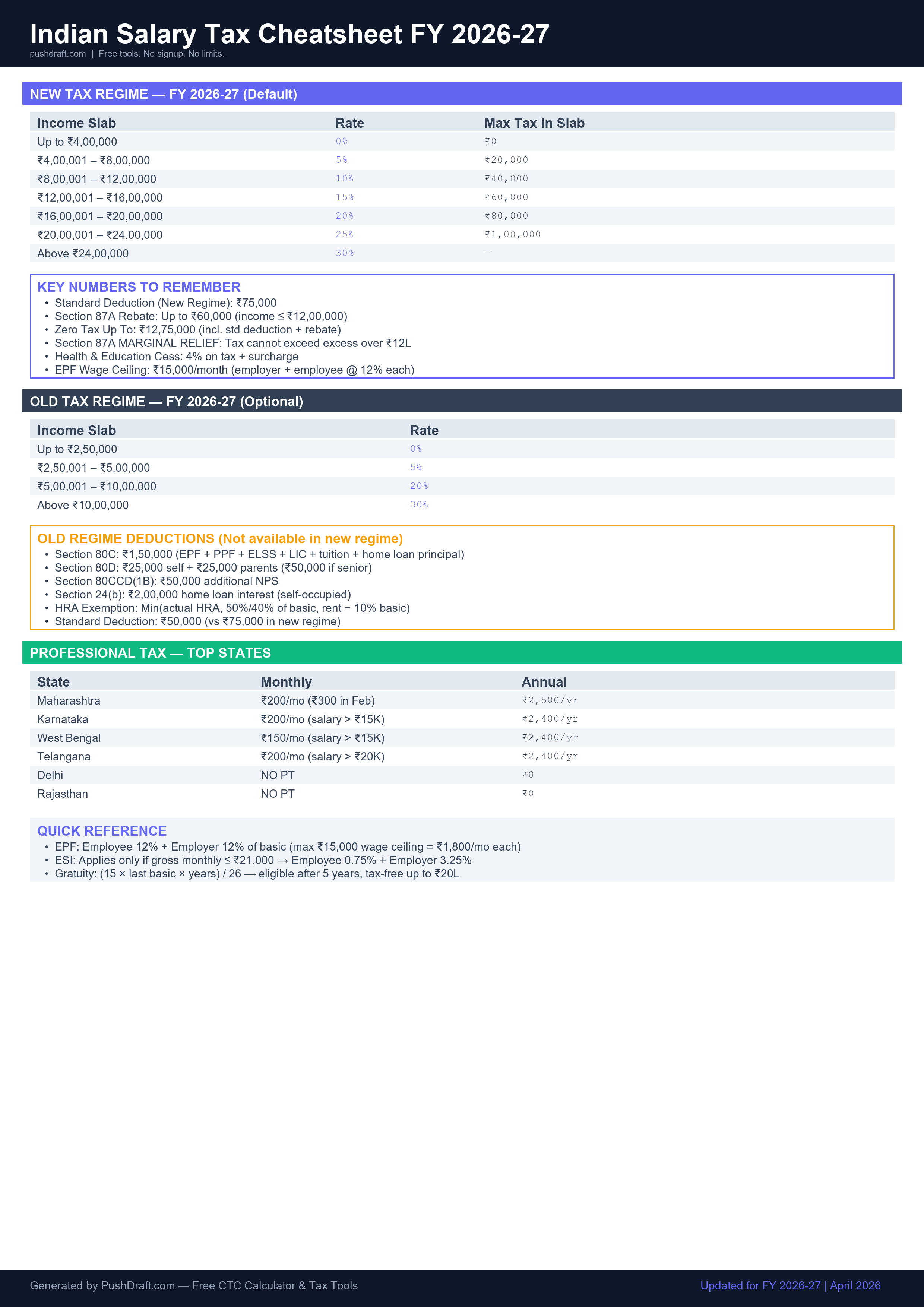
CSV output appears here...Free: Indian Salary Tax Cheatsheet 2026-27
New regime slabs, old regime deductions, PT by state — one page, print-ready.
How to Use JSON to CSV Converter
-
Paste your JSON array
Paste a JSON array of objects into the input box.
-
Choose delimiter and options
Select comma, semicolon, or tab as separator. Toggle headers on or off.
-
Preview and download
See a preview of the first 5 rows, then click Download CSV to save the file.
Related Tools
Frequently Asked Questions
What JSON format does this converter accept?
The converter accepts a JSON array of objects, where each object becomes a row and the keys become column headers. Example: [{"name": "Alice", "age": 30}, {"name": "Bob", "age": 25}] converts to a CSV with Name and Age columns.
How are nested objects handled?
Nested objects are flattened using dot notation. For example, {"user": {"name": "Alice", "city": "Mumbai"}} becomes two columns: user.name and user.city.
Is my data safe?
Yes — all conversion happens in your browser. Your JSON data is never uploaded to any server, making this safe for internal data, API responses, and sensitive records.
PushDraft Weekly
Get weekly developer tips and new tools. Free, no spam, unsubscribe anytime.