YAML ↔ JSON Converter — Free Online Tool
Convert YAML to JSON and JSON to YAML instantly. Client-side only — your Kubernetes configs, GitHub Actions, and docker-compose files never leave your browser.
Converted output appears here...Supports k8s manifests, GitHub Actions, docker-compose, multi-document YAML (---), anchors & aliases, and all standard scalar types. Comments are stripped in output.
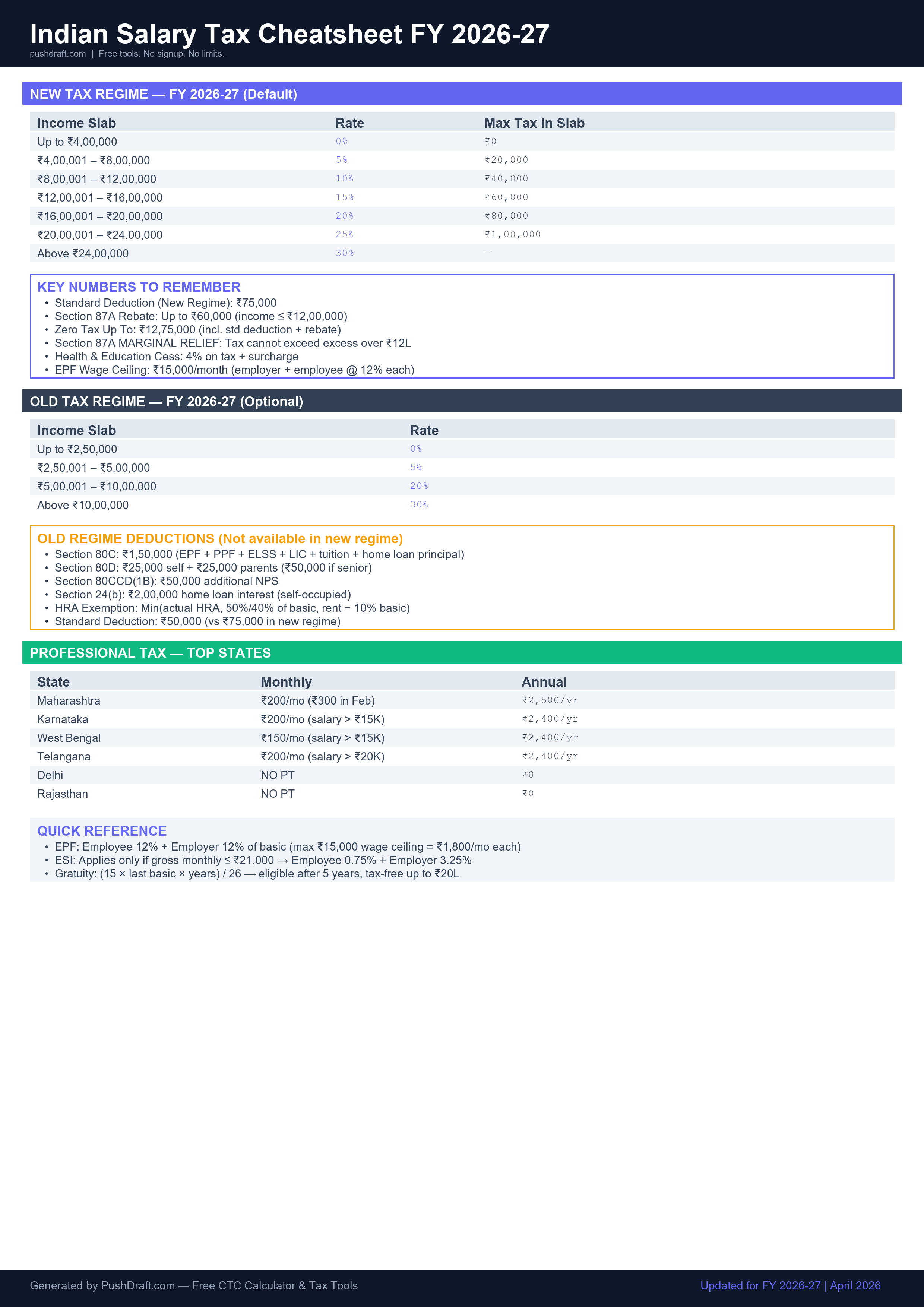
Free: Indian Salary Tax Cheatsheet 2026-27
New regime slabs, old regime deductions, PT by state — one page, print-ready.
How to Use YAML to JSON Converter
-
Paste your YAML or JSON
Paste your content in the left panel. The tool auto-detects whether you've entered YAML or JSON.
-
Select conversion direction
Toggle between YAML → JSON or JSON → YAML using the direction button.
-
Copy the output
Click Copy to copy the converted output to your clipboard.
Related Tools
Frequently Asked Questions
Is this YAML converter safe to use with production configs?
Yes — all conversion happens in your browser using JavaScript. Your YAML or JSON content is never sent to any server. This makes it safe for Kubernetes secrets, API keys in config files, and other sensitive configurations.
What YAML features are supported?
The converter supports standard YAML: key-value pairs, nested objects, arrays, multiline strings, comments (stripped in output), anchors and aliases for common configs, and all standard data types (strings, numbers, booleans, null).
Can I convert Kubernetes manifests?
Yes — Kubernetes YAML manifests are among the most common use cases. The converter handles multi-document YAML (separated by ---) and all standard k8s object types.
PushDraft Weekly
Get weekly developer tips and new tools. Free, no spam, unsubscribe anytime.